Allocate IP prefixes
IP prefix pools (CoreIPPrefixPool) allocate IP subnets from larger prefixes.
Prerequisites
- A running Infrahub instance
Schema used in this guide
The examples on this page use the following schema nodes. Adapt the type names to match your own schema.
generics:
  - name: Service
    namespace: Infra
    human_friendly_id: ["name__value"]
    attributes:
      - name: name
        kind: Text

nodes:
  - name: IPPrefix
    namespace: Ipam
    inherit_from:
      - "BuiltinIPPrefix"

  - name: Service
    namespace: Customer
    inherit_from:
      - InfraService
    relationships:
      - name: assigned_prefix
        peer: IpamIPPrefix
        kind: Attribute
        cardinality: one
Step 1: Create a source prefix
Create the parent prefix:
- Web interface
- GraphQL
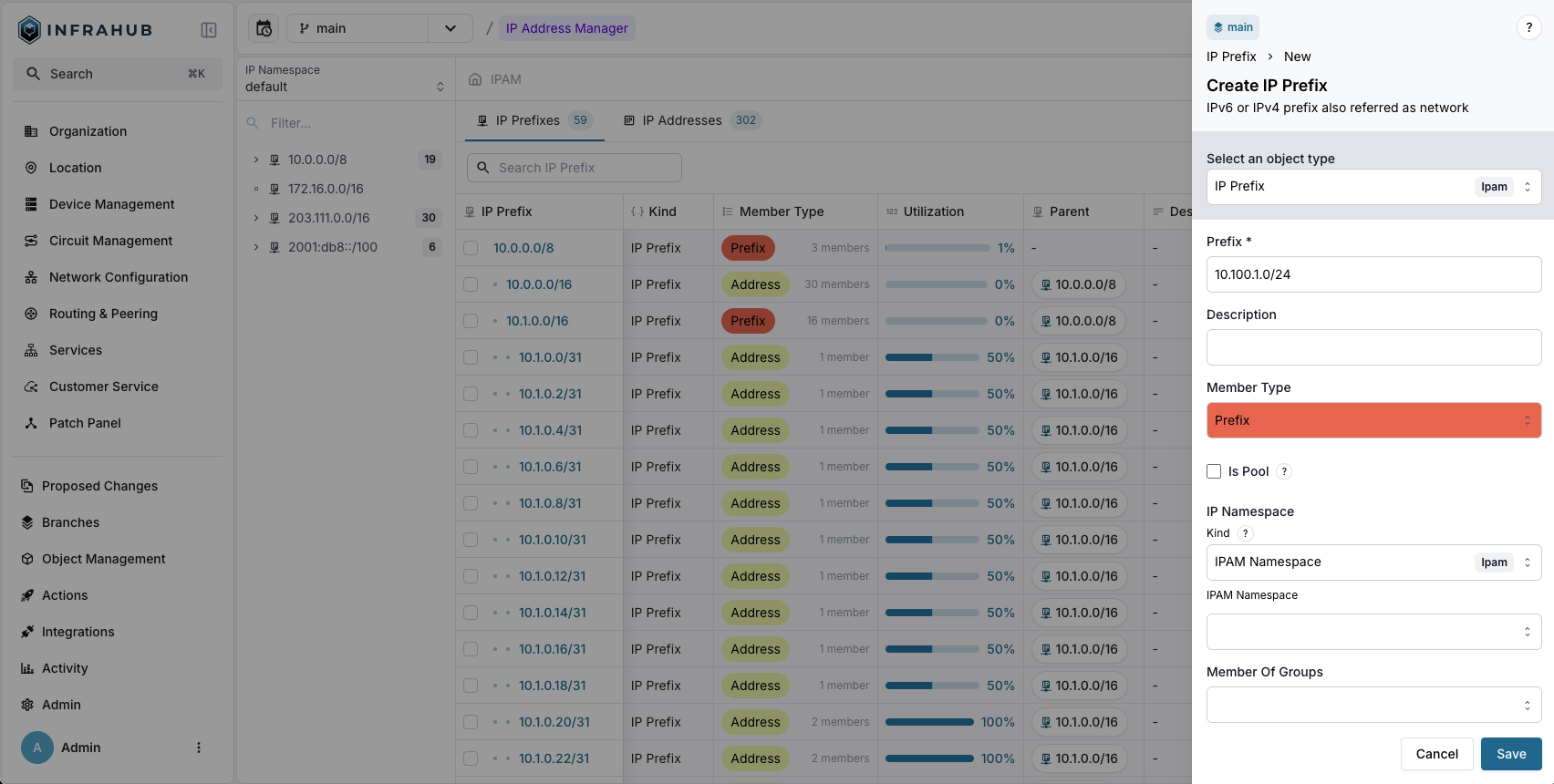
Navigate to IPAM → IP Prefixes and create a new prefix with:
- Prefix:
10.100.1.0/24 - Member Type:
prefix
mutation {
  IpamIPPrefixCreate(
    data: {prefix: {value: "10.100.1.0/24"}
    member_type: {value: "prefix"}}
  ) {
    ok
    object {
      id
    }
  }
}
Save the prefix ID for the next step!
Step 2: Create the IP prefix pool
Create a CoreIPPrefixPool Resource Manager:
- Web interface
- GraphQL
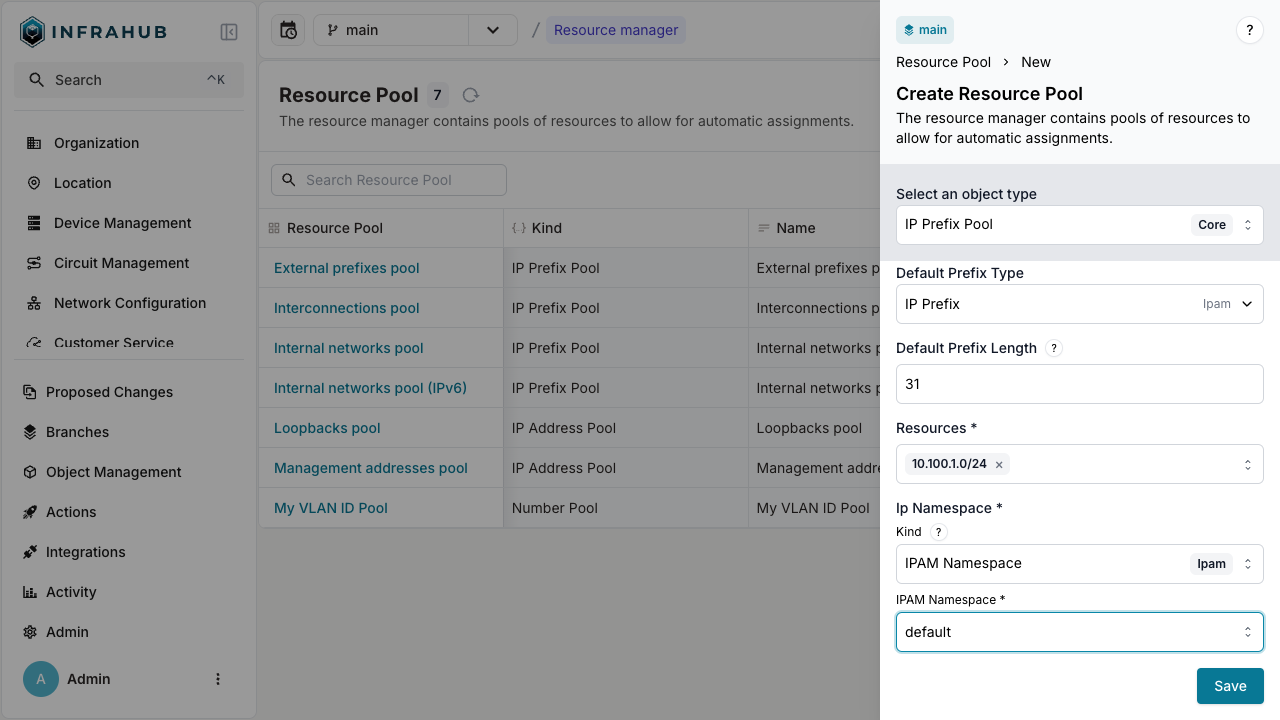
Navigate to Object Management → Resource Managers and create a new IP Prefix Pool with:
- Name:
Customer Service Pool - Default Prefix Type:
IpamIPPrefix - Default Prefix Length:
31 - Resources: Select the
10.100.1.0/24prefix - IP Namespace:
default
mutation {
  CoreIPPrefixPoolCreate(data: {
    name: {value: "Customer Service Pool"},
    default_prefix_length: {value: 31},
    default_prefix_type: {value: "IpamIPPrefix"},
    resources: [{id: "<prefix-id>"}],
    ip_namespace: {id: "default"}
  })
  {
    ok
    object {
      id
      hfid
    }
  }
}
Save the pool ID for allocation operations!
Step 3: Allocate IP prefixes
You can allocate IP prefixes in two ways: direct allocation or allocation during node creation.
Direct allocation
Allocate an IP prefix directly from the pool:
- Web interface
- GraphQL
Create an IP prefix. Next to the Prefix field, click the pool button, labeled "select a pool", and choose Customer Service Pool, then save. Infrahub allocates the next available subnet from the pool and creates the IP prefix with it.
Infrahub allocates a new prefix on each save. To get the same prefix back when a script or a Generator runs again, use the GraphQL method with an identifier.
mutation {
  InfrahubIPPrefixPoolGetResource(data: {
    hfid: ["Customer Service Pool"]
    data: {
      description: "prefix allocated to point to point connection"
    }
  })
  {
    ok
    node {
      id
      display_label
    }
  }
}
You have created an IP prefix record from the pool!
Allocation during node creation
Allocate an IP prefix when creating a customer service:
- Web interface
- GraphQL
Navigate to Customer Service → Add Customer Service.
Next to the Assigned Prefix field, click the pool button, labeled "select a pool", and choose your resource pool.
mutation {
  CustomerServiceCreate(
    data: {
      name: {value: "svc-123"}
      assigned_prefix: {from_pool: {id: "<POOL-ID>"}}
    }
  ) {
    ok
    object {
      display_label
      assigned_prefix {
        node {
          prefix {
            value
          }
        }
      }
    }
  }
}
An identifier in from_pool names the allocation, and Infrahub returns the same prefix to a later allocation from the same pool with the same identifier. Build it from the object it is allocated to, here the service svc-123 and its assigned_prefix relationship:
mutation {
  CustomerServiceCreate(
    data: {
      name: {value: "svc-123"}
      assigned_prefix: {from_pool: {id: "<POOL-ID>", identifier: "svc-123-assigned-prefix"}}
    }
  ) {
    ok
    object {
      display_label
      assigned_prefix {
        node {
          prefix {
            value
          }
        }
      }
    }
  }
}
This is essential for Generators and automated workflows. Without an identifier, Infrahub builds a default one from the object's kind, its human-friendly ID (HFID) and the relationship name, because CustomerService has an HFID. On another branch that cannot read the allocated prefix yet, a request with the same identifier gets a different prefix. See Idempotent allocation for the rules.
The customer service is created with an IP prefix allocated from the pool!
Allocate on a branch
When you allocate from the pool on a branch, Infrahub uses the pool's IP namespace and source prefixes as they exist on that branch. Infrahub skips a source prefix that does not exist on the branch, for example a prefix created on another branch that is not merged yet.
Infrahub does not allocate a prefix that any branch still holds, unless that branch is being deleted. For example, if you delete an allocated prefix on the default branch after you create a branch, Infrahub does not allocate that prefix again while the branch still holds it. See Releasing an allocated resource.
The allocation fails with one of these errors when the branch does not have what the pool needs:
Pool '<pool>' cannot allocate on branch '<branch>': its namespace '<namespace>' does not exist on this branch.- The pool's IP namespace does not exist on the branch, for example because it was created on another branch that is not merged yet, or deleted on this branch.
- When the pool no longer links to a namespace, for example because the branch that held the namespace was deleted, the message does not include the name of the namespace:
Pool '<pool>' cannot allocate on branch '<branch>': its namespace does not exist on this branch. - Allocate on a branch where the namespace exists. If the namespace was created on another branch, merge that branch and rebase this one first.
Pool '<pool>' cannot allocate on branch '<branch>': none of its resources exist on this branch.- None of the pool's source prefixes exist on the branch.
- Allocate on a branch where at least one source prefix exists, or add a source prefix that exists on this branch to the pool.
When the source prefixes exist on the branch but none has room for a prefix of the requested length, the allocation fails with No more resources available in the pool.
Next
- Allocate IP addresses
- Allocate numbers
- Weighted allocation to control which source prefixes are preferred